
Scattered files
Replace USB drives and individual messages with one media library.



DIGITAL SIGNAGE MANAGEMENT PLATFORM
Create, schedule, distribute and monitor content from one control center, with multi-company, branch and Android TV support.

START WITH ONE BRANCH OR SCREEN
Share your sector, branch count and approximate number of screens. The team will arrange a practical demonstration scenario.
FROM FRAGMENTED TO CONTROLLED
When every branch updates screens differently, content becomes outdated and campaigns disappear between files, messages and site visits. B|SCREENS turns that work into one central cycle for scheduling, review and monitoring.
Replace USB drives and individual messages with one media library.
Keep content and brand presentation aligned across locations.
See device and screen status before an issue becomes a complaint.
A CLEAR OPERATING JOURNEY
Organize images and videos in the central media library.
Assemble the assets and define the operational message.
Target companies, branches and individual screens.
Set timing and send content for review where required.
Follow status, playback records and connected devices.
REAL-WORLD USE CASES
The gallery and video use high-quality representative scenes that show how a central digital-signage platform can operate across dashboards, stores, restaurants, gyms, clinics, offices and emergency communications, with Arabic and English-ready screen examples.
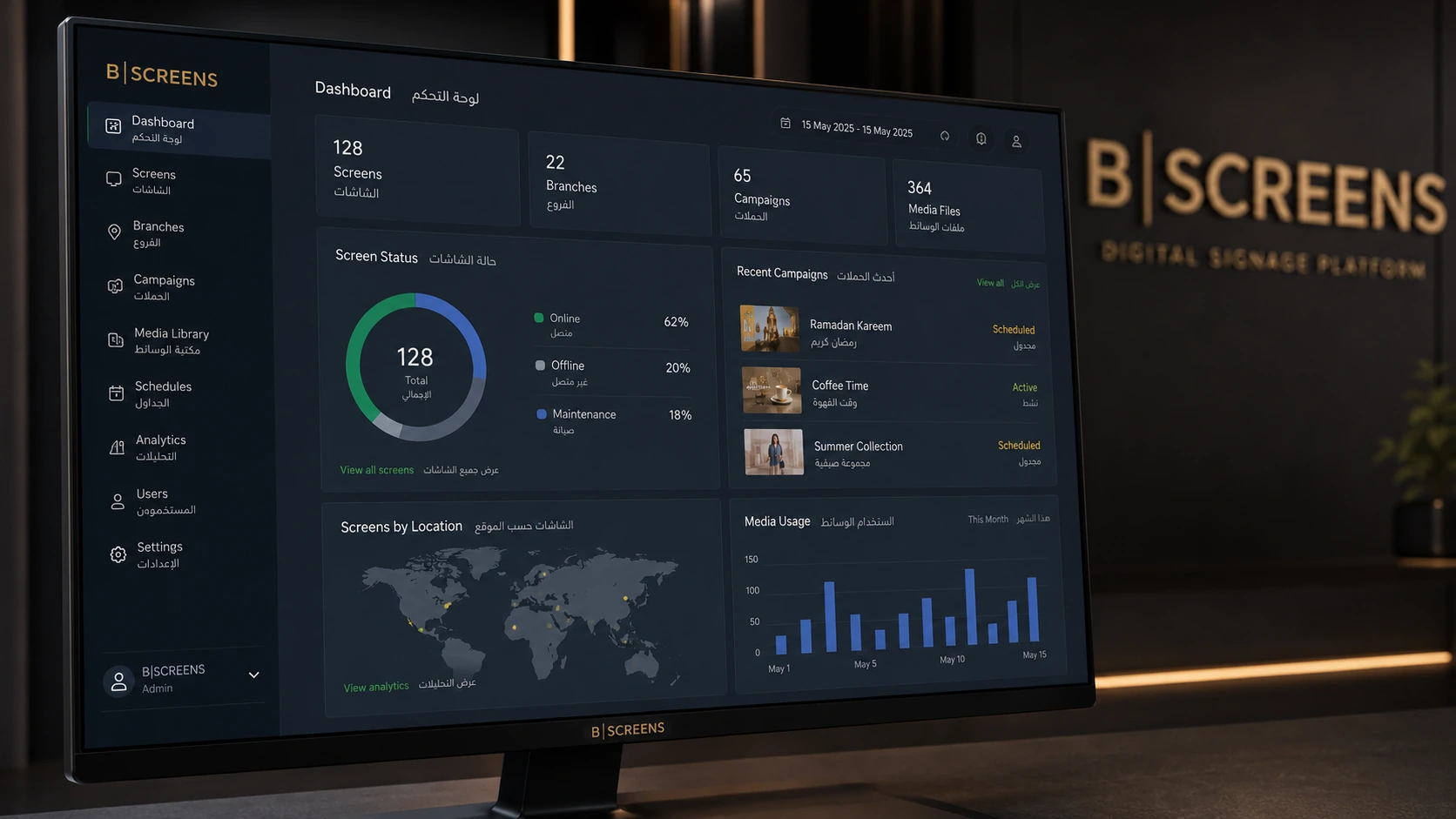
A representative command view for screens, branches, campaigns, media and operational status.

Deliver coordinated promotions and seasonal campaigns across store locations.

Update menus, offers and timed content without visiting every branch.

Promote classes, memberships, challenges and motivational campaigns.

Share guidance, services and waiting-area information in a controlled format.

Distribute internal announcements, dashboards and visitor information.
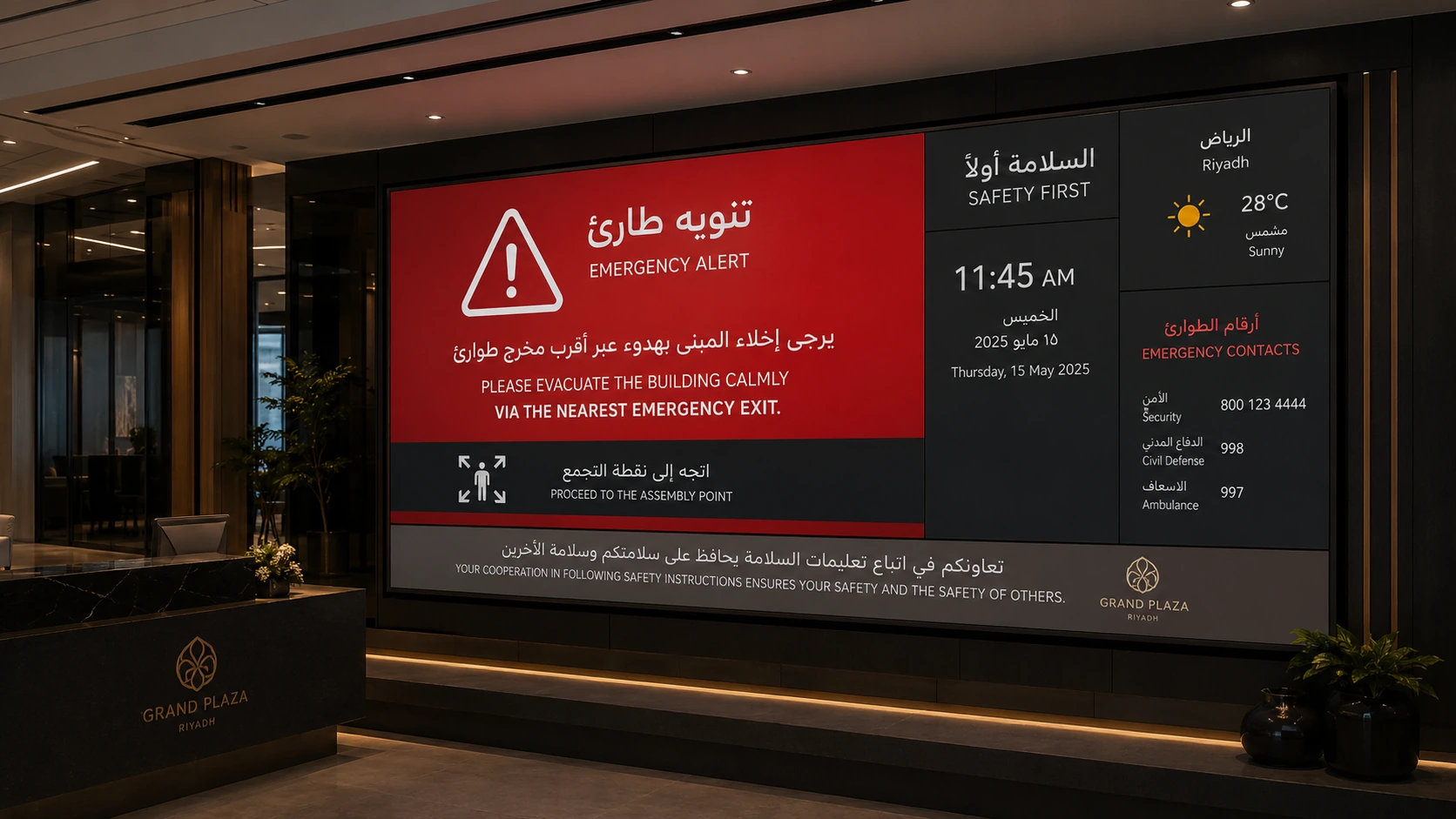
Interrupt normal playlists with approved urgent notices when required.

Coordinate multiple prominent screens while maintaining central governance.
FROM PLATFORM TO SCREEN
The local video is assembled from representative raster images covering administration, campaigns, industry deployments and emergency communication. A live demonstration remains the source of truth for the exact product interface and device behavior.
Request the live demoPLATFORM CAPABILITIES
Upload, organize and make images and videos available to campaigns.
Connect content with the intended branches and screens.
Display rules based on day, time and operating context.
Review, comment, accept or reject before publishing.
Screen status, heartbeat and connected or disconnected devices.
Priority messaging to a defined group of screens.
Pair devices and manage APK files and releases.
Separate responsibility by company, branch and role.
Generate ideas and copy according to configuration, with human review.
BUILT AROUND THE ENVIRONMENT
01
Governance, permissions, approvals and unified monitoring across locations.
02
Update screens faster without depending on site visits or scattered files.
03
Class schedules, membership offers and motivational messages by zone and time.
04
Visit guidance, approved awareness content and organized waiting-area communication without uncontrolled medical claims.
05
Offers, menus and product launches that change by location or time.
06
Wayfinding, events, safety messages and communication across display zones.
GOVERNANCE BEFORE PUBLISHING
Permissions, approvals and activity records help teams understand who created a campaign, who reviewed it and what was published.
WHEN THE MESSAGE CANNOT WAIT
Use emergency broadcast for important operational notices, then restore standard content after the event according to your organization’s process.
Request an emergency scenarioFREQUENTLY ASKED QUESTIONS
The platform includes device pairing, QR login and APK release management. Compatibility with the target hardware should be tested before a commercial commitment.
Yes. It includes Arabic and English interfaces, RTL/LTR direction and language and branding settings.
Yes. The platform includes companies, branches, screens, users and role-based access.
Yes. Campaigns can use scheduling rules and target selected branches and screens.
Yes. Review requests, comments and accept or reject decisions are available according to workflow configuration.
The player contains cache and offline-event mechanisms, but actual continuity must be field-tested in the customer environment.
API keys, signed webhooks and external interfaces are available. The integration scope and data contract are defined during technical analysis.
No. Commercial results, performance and compatibility depend on environment, hardware, content and implementation and require independent measurement and testing.
START WITH ONE BRANCH OR SCREEN
Share your sector, branch count and approximate number of screens. The team will arrange a practical demonstration scenario.